How to Pay for Starlink in Kenya Using M-Pesa: A Step-by-Step 2025 Guide
n a country where mobile money reigns supreme—with over 90% of Kenyans using M-Pesa for daily transactions—Starlink’s integration of this payment method has made high-speed satellite internet more accessible than ever. Launched in Kenya in July 2023, Starlink now serves over 16,786 users as of mid-2025, delivering speeds up to 200 Mbps even in remote areas like Turkana or Garissa. But for many, the big question remains: how to pay for Starlink using M-Pesa?
Whether you’re buying your first kit, topping up a 50GB budget plan, or managing monthly subscriptions, M-Pesa offers a seamless, cashless way to stay connected without needing a bank card. This detailed guide, updated for September 2025, covers everything from pricing and setup to troubleshooting common glitches. By the end, you’ll know exactly how to use M-Pesa for Starlink payments, ensuring uninterrupted service for work, streaming, or e-learning.
If you’re tired of slow rural internet or unreliable urban fiber, Starlink’s M-Pesa compatibility is a game-changer. Let’s dive in.
Why Use M-Pesa for Starlink Payments in Kenya?
M-Pesa, Safaricom’s mobile money service, processes billions in transactions annually and is now fully integrated with Starlink since June 2024. This partnership allows Kenyans to pay for hardware, subscriptions, and data bundles without forex fees or card hassles. Key advantages include:
- Accessibility: No need for international cards—perfect for rural users without bank accounts.
- Convenience: Instant deductions via *334# USSD, with Airtel Money as a backup.
- Affordability: Supports low-cost plans like the 50GB bundle at KES 1,300, making Starlink competitive with local ISPs.
- Security: OTP verification and transaction history via SMS.
Recent updates confirm M-Pesa support remains strong, debunking 2024 rumors of discontinuation. With Starlink’s growth—a 1,955% user surge in 2024-2025—M-Pesa ensures payments align with Kenya’s digital economy.
Starlink Pricing in Kenya: What You’ll Pay via M-Pesa
Before paying, understand the costs. All prices are in KES, include 16% VAT, and can be settled via M-Pesa. As of September 2025:
| Plan/KIT | Upfront Cost (via M-Pesa) | Monthly Subscription (via M-Pesa) | Data/Speeds | Best For |
|---|---|---|---|---|
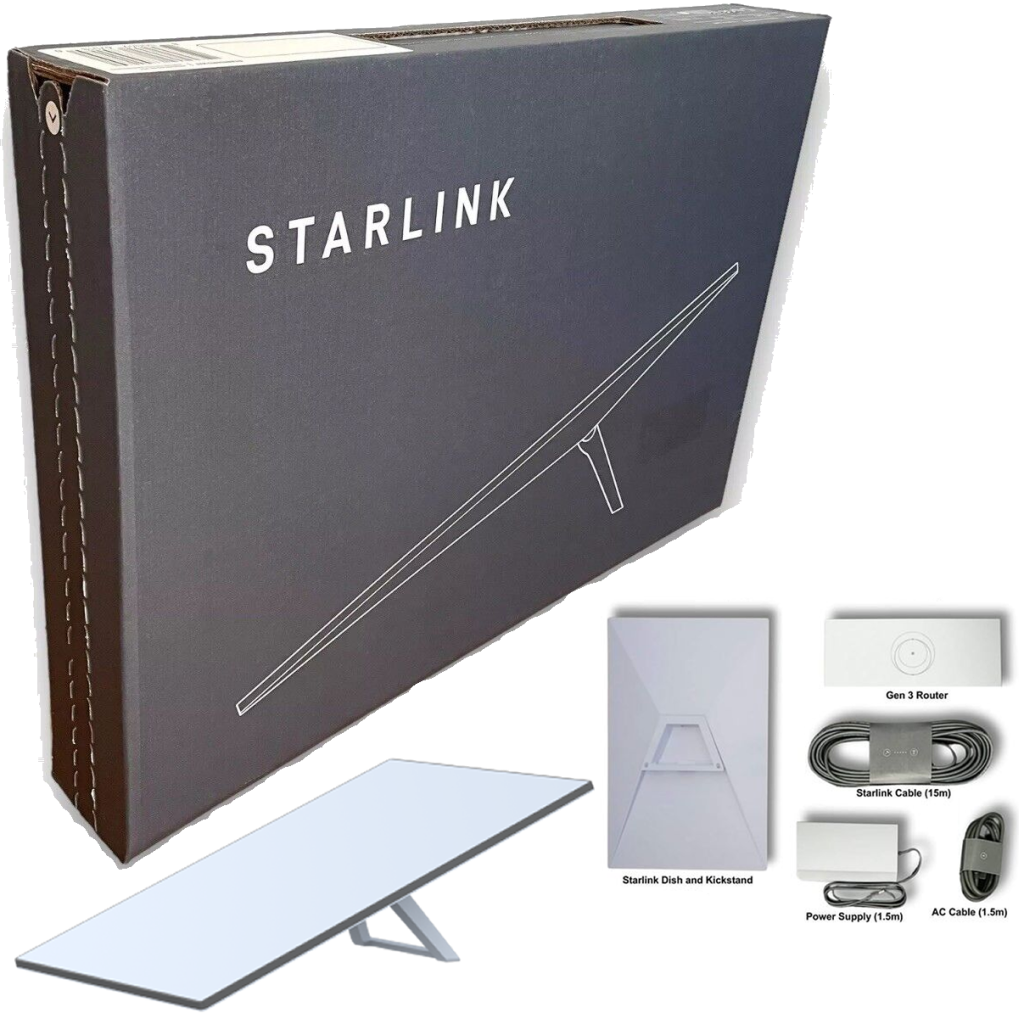
| Standard Kit | KES 29,999–45,000 (promotional to full price) + KES 3,100 shipping | KES 6,500 (Unlimited) | Unlimited, up to 200 Mbps | Homes/offices in fixed locations |
| Mini Kit | KES 27,000–30,000 | KES 4,000 (Lite Unlimited) | Unlimited priority, up to 100 Mbps | Portable use, budget travelers |
| 50GB Budget Plan | N/A (add to kit) | KES 1,300 + KES 20/GB overage | 50GB high-speed | Light users in rural areas |
| Roam (Mobile) | Same as above | KES 14,000 (Unlimited regional) | Unlimited in Kenya + select countries | Nomads, coastal travel |
| Business Priority | KES 55,000+ | KES 8,000–32,000 | Unlimited priority, up to 1 Gbps | Enterprises needing reliability |
Notes:
- First payment includes kit + first month.
- Rental option: KES 1,950/month hardware + activation (KES 2,700), all via M-Pesa.
- Promotions: Recent slashes dropped Standard Kit to KES 29,999 in August 2024, still available via resellers.
These tiers make Starlink viable for everyone—from KES 1,300 monthly for basics to premium for businesses. M-Pesa handles all, with limits up to KES 70,000/day.
Step-by-Step: How to Order and Pay for Your Starlink Kit Using M-Pesa
Ordering is simple and M-Pesa-friendly. Follow these steps:
- Check Availability: Head to starlink.com/ke or download the Starlink app (iOS/Android). Enter your address—100% coverage in Kenya, though Nairobi waitlists may apply.
- Create Account: Sign up with your email, Kenyan phone number, and address. Verify via SMS (works with Safaricom lines).
- Select Your Plan and Kit: Choose Standard, Mini, or Roam. Add the 50GB plan if budgeting. Review total (kit + shipping + first month).
- Proceed to Checkout:
- Enter delivery details (1-7 days nationwide).
- Select “Mobile Money” as payment method.
- Input your M-Pesa phone number (e.g., 07XXXXXXXX).
- Complete M-Pesa Payment:
- You’ll receive an M-Pesa prompt: “Enter PIN to pay KES [amount] to [Starlink Paybill].”
- Dial *334# > Select “Pay Bill” > Enter Starlink’s Paybill number (provided in app, e.g., 222222—confirm via support).
- Authorize with your M-Pesa PIN.
- Instant confirmation SMS; app shows “Paid.”
- Track and Activate: Get email with tracking. Upon delivery, unbox, mount the dish (clear sky view), and activate via app—online in under an hour.
For resellers like Starlink Kenya Installers or Jumia, pay deposit via M-Pesa for same-day Nairobi delivery (KES 5,500 installation extra). Pro tip: Use the 30-day trial for refunds if needed.
How to Pay Monthly Starlink Subscriptions Using M-Pesa
Billing is monthly (30 days from activation), with no contracts. M-Pesa auto-pay minimizes disruptions:
- Set Up Auto-Pay: In your Starlink account (app/website) > Billing > Payment Methods > Link M-Pesa. Enter phone number and verify.
- On Due Date: Get app/email reminders 3-5 days early. Log in—system prompts M-Pesa payment.
- Manual Payment Process:
- Go to Billing > “Pay Now.”
- Select Mobile Money > Enter phone.
- Confirm via *334# (Pay Bill option) with PIN.
- Deduction: Instant for KES 1,300–32,000.
- Pause or Adjust: For Roam, pause for KES 500/month standby via app. Upgrade/downgrade prorated.
Service suspends after 24 hours overdue but restores in 12-48 hours post-payment. Always top up M-Pesa early to avoid glitches.
Integrating M-Pesa with Buy Now, Pay Later (BNPL) for Starlink
Can’t afford upfront? Use BNPL via resellers:
- Lipa Pole Pole (Laptop Clinic/SizaPay): Deposit 20% (e.g., KES 6,000 for Mini Kit) via M-Pesa, spread balance over 24 weeks (KES 1,000–1,500/week).
- Process: Visit reseller site/store > Select kit > Pay deposit M-Pesa > Weekly auto-deductions from M-Pesa.
- Interest: 5-10%; requires ID and CRB check.
Ideal for rural setups—pay hardware over time while using M-Pesa for subs.
Common M-Pesa Payment Issues for Starlink in Kenya and Fixes
Users report glitches, like payments showing “Paid” without deduction. Here’s a table of fixes:
| Issue | Cause | Solution |
|---|---|---|
| No Deduction Despite “Paid” Status | Sync delay or network glitch | Wait 10-15 mins, retry via app. Check M-Pesa history (*334# > History). Recent case: User @Bahati_00 on Aug 1, 2025, fixed via support email. |
| Payment Failed Error | Insufficient balance or wrong Paybill | Top up M-Pesa > Retry. Confirm Paybill (app shows it). Use Airtel Money alternative. |
| Service Suspended Post-Payment | Billing sync lag | Submit M-Pesa receipt to support@starlink.com or app chat. Restores in 12-48 hrs. |
| Auto-Pay Not Triggering | Unlinked number | Re-link in settings; test with small top-up. |
| High Fees | M-Pesa transaction charges | Normal (KES 27 for KES 6,500); no Starlink extras. Split large payments. |
Support: App chat (24/7), email, or resellers (+254 701 299 299). Response: 1-3 days; faster for Priority plans. Safaricom confirmed no M-Pesa cancellations in August 2024.
Tips for Seamless M-Pesa Payments on Starlink
- Budget Smart: For 50GB plan, set M-Pesa savings for KES 1,300 + overages.
- Rural Hacks: Use agents for top-ups if signal weak; pair with solar for off-grid.
- Monitor Usage: App dashboard tracks data/invoices—avoid surprises.
- Promotions: Watch for M-Pesa-exclusive deals on Jumia (e.g., KES 5,000 kit discounts).
- Security: Never share PIN; use app for all transactions.
Compared to cards (3-5% forex), M-Pesa saves money and time.
The Future of M-Pesa and Starlink Payments in Kenya
By 2026, expect tighter integration—like direct M-Pesa bundles or Starlink SIMs. With 8,000+ satellites, prices may drop further, boosting adoption to 100,000 users. Challenges like CAK regs persist, but M-Pesa’s role ensures inclusivity.
FAQs: How to Pay for Starlink in Kenya Using M-Pesa
1. Can I pay for Starlink in Kenya using M-Pesa?
Yes. Starlink allows payments in Kenya using M-Pesa mobile money through the PayBill option integrated on its platform.
2. What is the official Starlink PayBill number in Kenya?
The official PayBill number is provided directly by Starlink during checkout on the website or app. Always confirm it from your account before making payments.
3. How do I pay for Starlink using M-Pesa?
-
Go to M-Pesa Menu on your phone.
-
Select Lipa na M-Pesa > PayBill.
-
Enter the PayBill number provided by Starlink.
-
Use your Starlink account number or order reference as the account number.
-
Enter the amount (installation kit or monthly subscription fee).
-
Confirm and enter your M-Pesa PIN.
-
You will receive an SMS confirmation from M-Pesa and Starlink.
4. What Starlink services can I pay for via M-Pesa?
You can pay for:
-
The Starlink hardware kit (dish, router, accessories).
-
The monthly subscription fee for internet service.
5. How much does Starlink cost in Kenya via M-Pesa?
-
Hardware kit: Around KSh 89,000 – KSh 95,000 (varies with version).
-
Monthly subscription: About KSh 6,500 – KSh 7,500.
(Always check the latest prices on the Starlink website.)
6. Is there an extra charge when paying via M-Pesa?
Standard M-Pesa transaction charges apply depending on the amount you are paying. Starlink itself does not add extra fees beyond the listed price.
7. Can I use M-Pesa for automatic recurring payments?
Currently, M-Pesa does not support direct auto-debit for Starlink. You must make manual payments each month through PayBill.
8. What happens if my Starlink subscription payment is late?
If you fail to pay on time, your Starlink service may be temporarily suspended until the payment is received. You can restore service by completing the payment via M-Pesa.
9. How do I confirm if my payment was successful?
You will receive:
-
An M-Pesa confirmation SMS.
-
A Starlink payment receipt in your registered email or Starlink account dashboard.
10. Who do I contact if my payment doesn’t reflect?
-
First, confirm your M-Pesa SMS receipt.
-
Check your Starlink account under Billing > Payment History.
-
If still unresolved, contact Starlink customer support via the app or email.
Conclusion: Connect Effortlessly with M-Pesa and Starlink
Paying for Starlink in Kenya using M-Pesa is straightforward, affordable, and tailored for locals—transforming remote connectivity. From KES 1,300 plans to full kits, start today at starlink.com/ke. Questions? Comment below or WhatsApp resellers.
