How to Activate Starlink Mini KIT: A Complete Step-by-Step Guide
In today’s digital age, having reliable internet access is no longer a luxury but a necessity. SpaceX’s Starlink Mini KIT is designed to bring fast, stable internet to even the most remote locations. If you’ve just purchased your Starlink Mini KIT and are wondering how to activate it, this guide will walk you through the entire process, from unboxing to optimization.
Whether you’re in a rural area, traveling, or simply need a backup internet source, the Starlink Mini KIT is your go-to solution. Let’s dive into the setup process.
Introduction to Starlink Mini KIT
What is the Starlink Mini KIT?
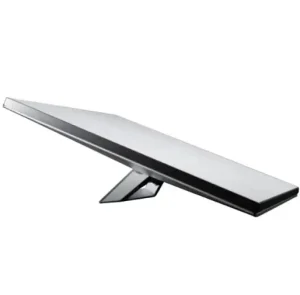
The Starlink Mini KIT is a compact version of the traditional Starlink dish, specifically designed for portability. Unlike the standard unit, it’s lighter, easier to carry, and consumes less power, making it perfect for travelers and those in areas with limited infrastructure.
Why Starlink Mini is a Game-Changer for Internet Access
-
Provides high-speed internet in remote regions.
-
Uses low Earth orbit (LEO) satellites for minimal latency.
-
Works as both a primary and backup internet solution.
-
Compact enough for RVs, boats, and off-grid living.
Unboxing Your Starlink Mini KIT
What’s Included in the Package
Inside your Starlink Mini KIT box, you’ll typically find:
-
The Starlink Mini Dish
-
A router with built-in Wi-Fi
-
Cables for connection
-
A power adapter
-
A stand for mounting
Tools You May Need for Setup
Although most of what you need is included, having a screwdriver, extension cord, or mounting brackets may help depending on your installation needs.
Preparing for Installation
Choosing the Best Location
For optimal signal, place your Starlink dish in an area with a clear view of the sky. Avoid tall buildings, trees, or obstacles that may interfere with satellite connectivity.
Ensuring Proper Power Supply
The Starlink Mini requires a stable power source. Consider using a power bank or portable generator if you’re off-grid.
Step-by-Step Guide: How to Activate Starlink Mini KIT
Step 1: Download the Starlink App
Start by downloading the Starlink App from the App Store or Google Play. The app guides you through setup and activation.
Step 2: Connect and Power On the Kit
Plug the dish into the router and connect it to the power adapter. Once powered, the dish will automatically begin scanning the sky for satellites.
Step 3: Aligning the Dish for Best Signal
Use the app’s “Obstruction Tool” to check for clear sky access. Adjust the dish position until you see strong connectivity.
Step 4: Registering and Activating Your Device
Log into the app with your Starlink account. Enter the serial number provided with your kit, then follow on-screen prompts to activate service.
Step 5: Running Initial Speed Tests
After activation, run a speed test to ensure your device is working properly. Average speeds range between 50-150 Mbps depending on location.
Troubleshooting Common Issues
Weak or No Signal
-
Reposition your dish to reduce obstructions.
-
Check for firmware updates via the app.
Activation Errors
-
Restart the device and router.
-
Ensure your account has an active subscription plan.
Power Connectivity Problems
-
Double-check your power source.
-
Test with a different power adapter if available.
Optimizing Your Starlink Mini Connection
Adjusting Placement for Better Speed
Even small adjustments can significantly improve performance. Elevating the dish on a rooftop or stand is often beneficial.
Using External Accessories
Consider using:
-
Mounting poles for stability
-
Signal boosters for extended coverage
Cost and Subscription Plans
Starlink Mini Pricing Overview
Pricing varies depending on location. In Kenya and other regions, Starlink Mini costs slightly less than the standard kit due to its compact design.
Monthly Data Plans Explained
Subscriptions typically include unlimited data, with premium packages available for businesses and heavy users.
For updated plans in Kenya, check Spacelink Kenya.
Advantages of Starlink Mini KIT
Portability and Lightweight Design
The Starlink Mini weighs less than the standard kit, making it ideal for on-the-go connectivity.
High-Speed Internet in Remote Areas
Whether in rural villages or while camping, the Mini delivers internet speeds comparable to urban areas.
Professional Support and Resources
Where to Buy Starlink Mini KIT
You can purchase authentic Starlink kits through trusted partners like Spacelink Kenya.
Reliable Service Providers in Kenya
For SEO and digital support, consider trusted agencies like Reisen SEO and Reisen SEO Kenya.
FAQs on How to Activate Starlink Mini KIT
Q1. How long does it take to activate Starlink Mini KIT?
Usually less than 30 minutes from unboxing to connection.
Q2. Can I use Starlink Mini KIT while traveling?
Yes, it’s designed for portability and works in multiple regions.
Q3. Does Starlink Mini work during bad weather?
It may experience reduced performance during heavy rain or snow but generally maintains strong connectivity.
Q4. What power source is best for Starlink Mini?
A stable AC power source, power bank, or solar setup works well.
Q5. Is the Starlink Mini KIT available worldwide?
It’s being rolled out gradually, with availability expanding to more countries each year.
Q6. Can I optimize speed beyond standard setup?
Yes—by adjusting placement, reducing obstructions, and using accessories like mounting poles.
Conclusion: Why Starlink Mini KIT is Worth It
Learning how to activate Starlink Mini KIT is straightforward and user-friendly. With its compact design, powerful performance, and ability to bring internet to underserved areas, it’s no surprise that the Mini has become a top choice worldwide.
For reliable setup assistance, trusted purchases, and digital growth, explore Spacelink Kenya, Reisen SEO, and Reisen SEO Kenya.
With the right setup and optimization, you’ll enjoy seamless internet access—anytime, anywhere